
Manage Group
Groups allows to schedule when users are on shift and the hierarchy they must be notified. It also defines the waiting period for them to respond. Users can add members to a new or existing group.
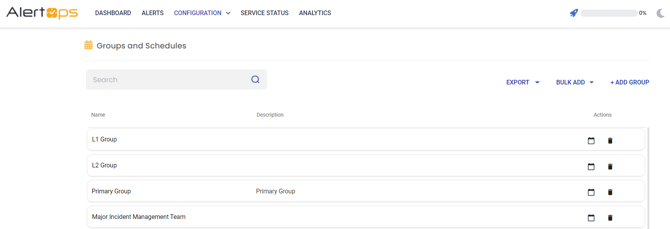
The groups list displays information about each group, including the group name, description and a Calendar of its shift schedule.
Add Members to Group
- Navigate to Configuration à Groups and Schedules Page
- Click +Add Members, the following window opens to add members to the group

- Select the members from the available users and move to Selected members by using the right arrow
- Click Submit, the member is added in the group.
Once you add members - you can assign a member a 'Manager' role if needed, by selecting the Manager checkbox. If there are schedules/shifts built , Primary/Secondary roles will be assigned within the shift itself.