
Purpose: Get fast answers about on-call, teams, people, and alerts without leaving the page you're on.
How to ask
- Open Ada from the header.
- Type your question and press Enter, or click a Quick Prompt.
- Ask follow-up questions in the same conversation. Ada remembers the context.
Name the group, person, alert ID, or date range you mean. Ada answers more accurately with specifics.
On-call
"Who is on call for the Platform Operations group today?"
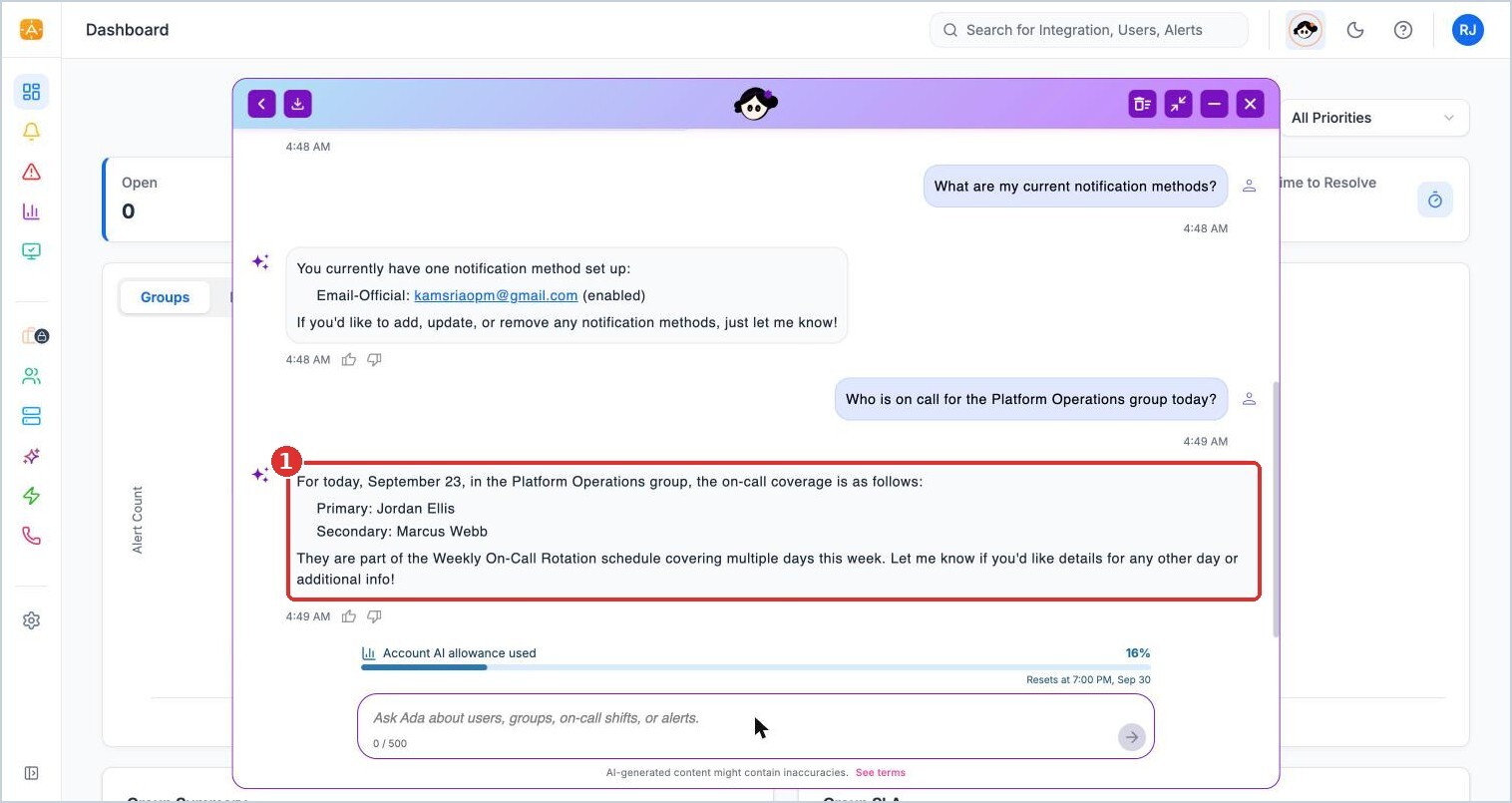
(1) the on-call Primary and Secondary for today, from the group's rotation
"Are there any on-call gaps between 2am and 6am for Platform Operations this week?"
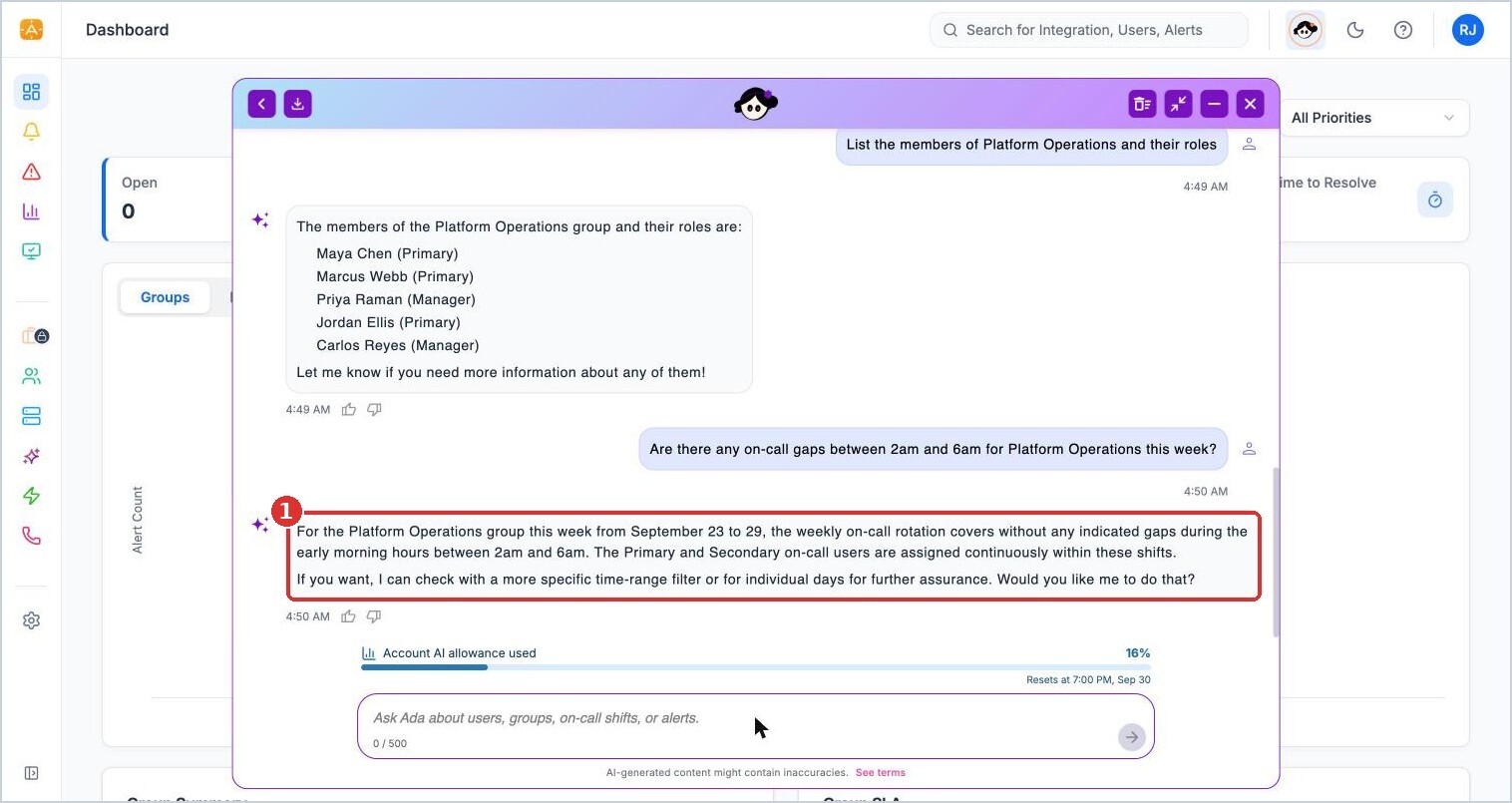
(1) Ada checks the week's coverage for the hours you asked about
"Who has the least on-call load in Platform Operations this month?"
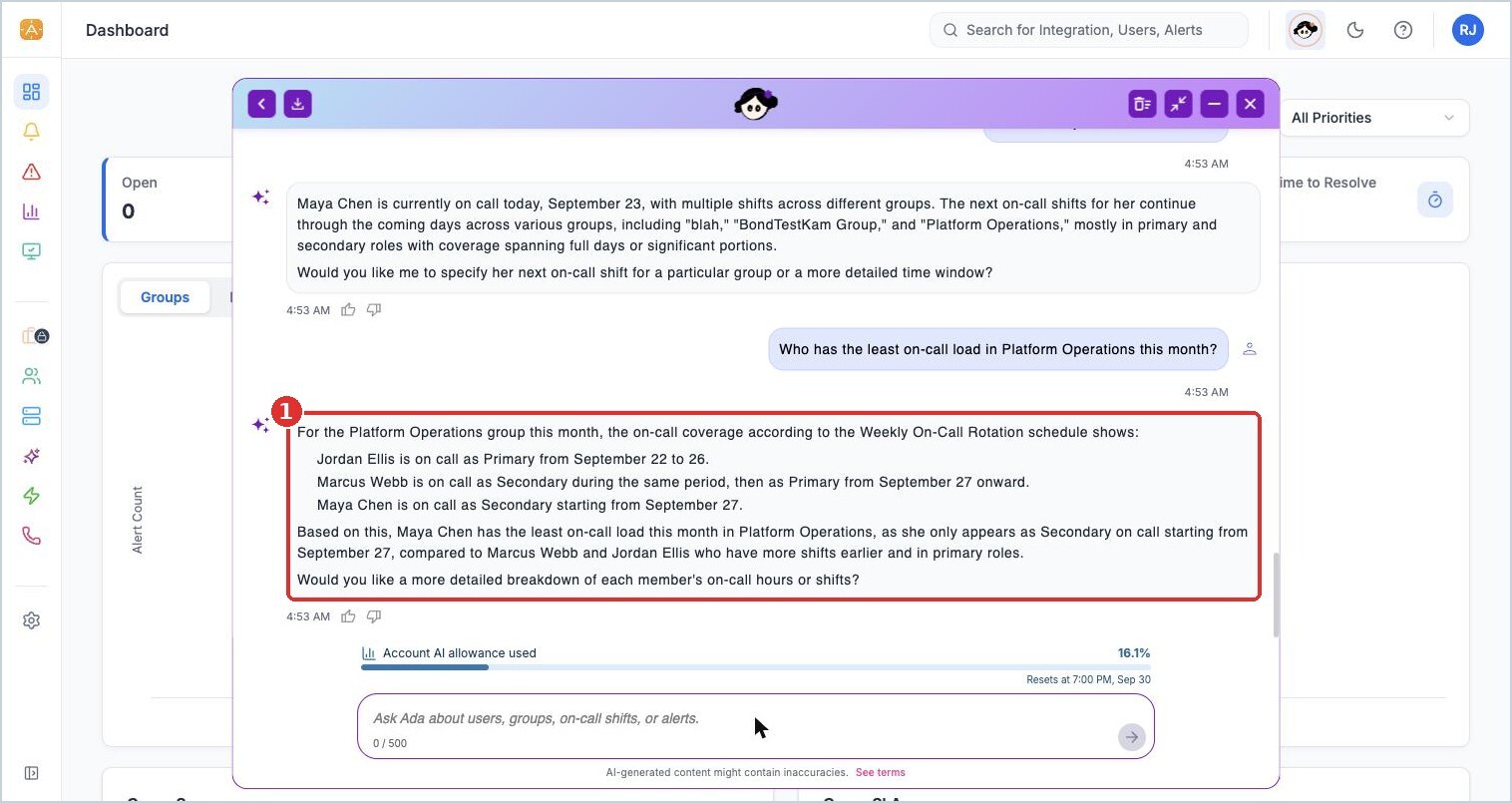
(1) Ada breaks down the rotation and names the person with the lightest load
"When is Maya Chen next on call?"
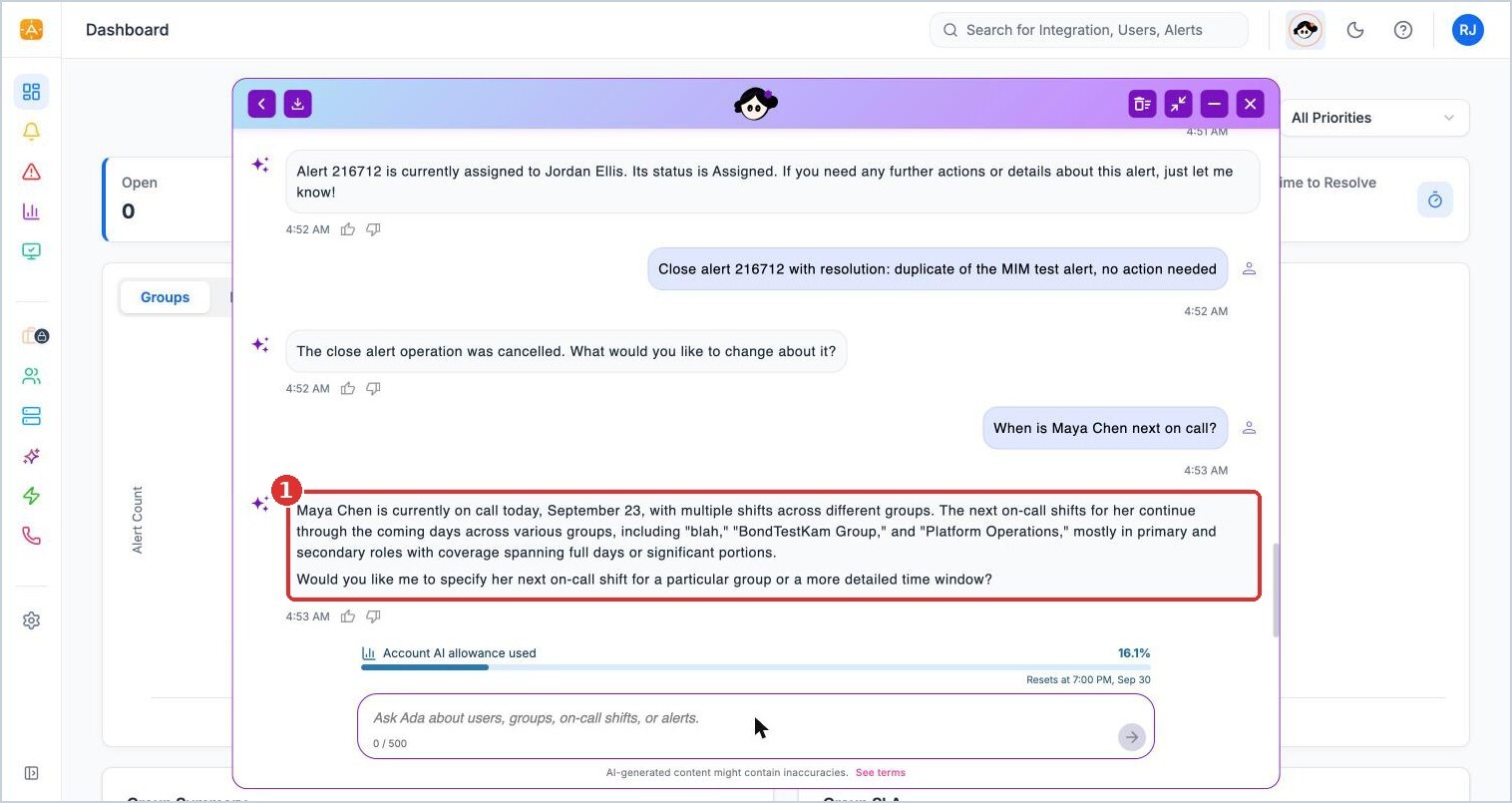
(1) upcoming shifts across every group the person belongs to
Groups and people
"List the members of Platform Operations and their roles"
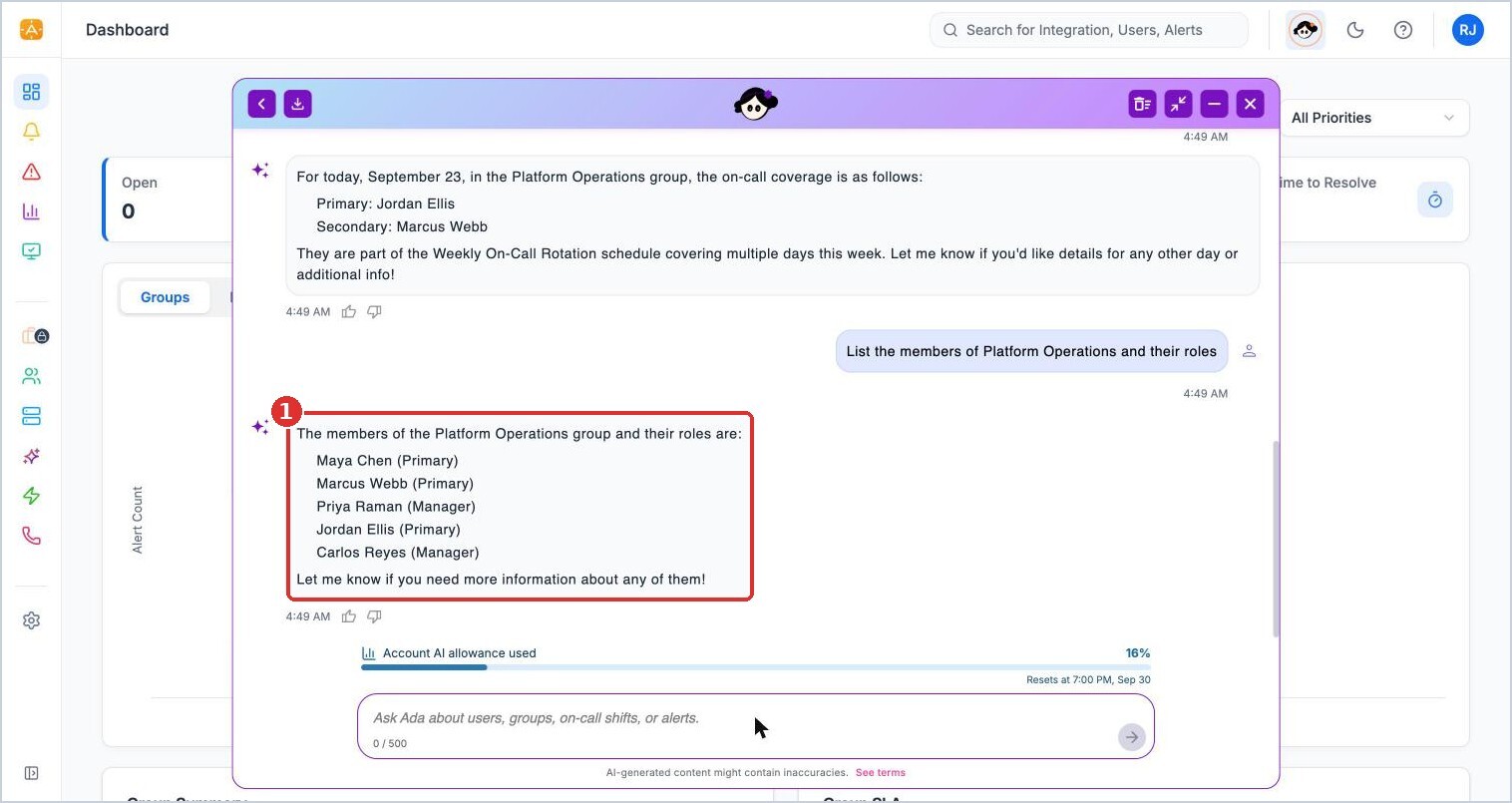
(1) group members and roles
"What are my current notification methods?"
Alerts
"Provide details of alert 216712"
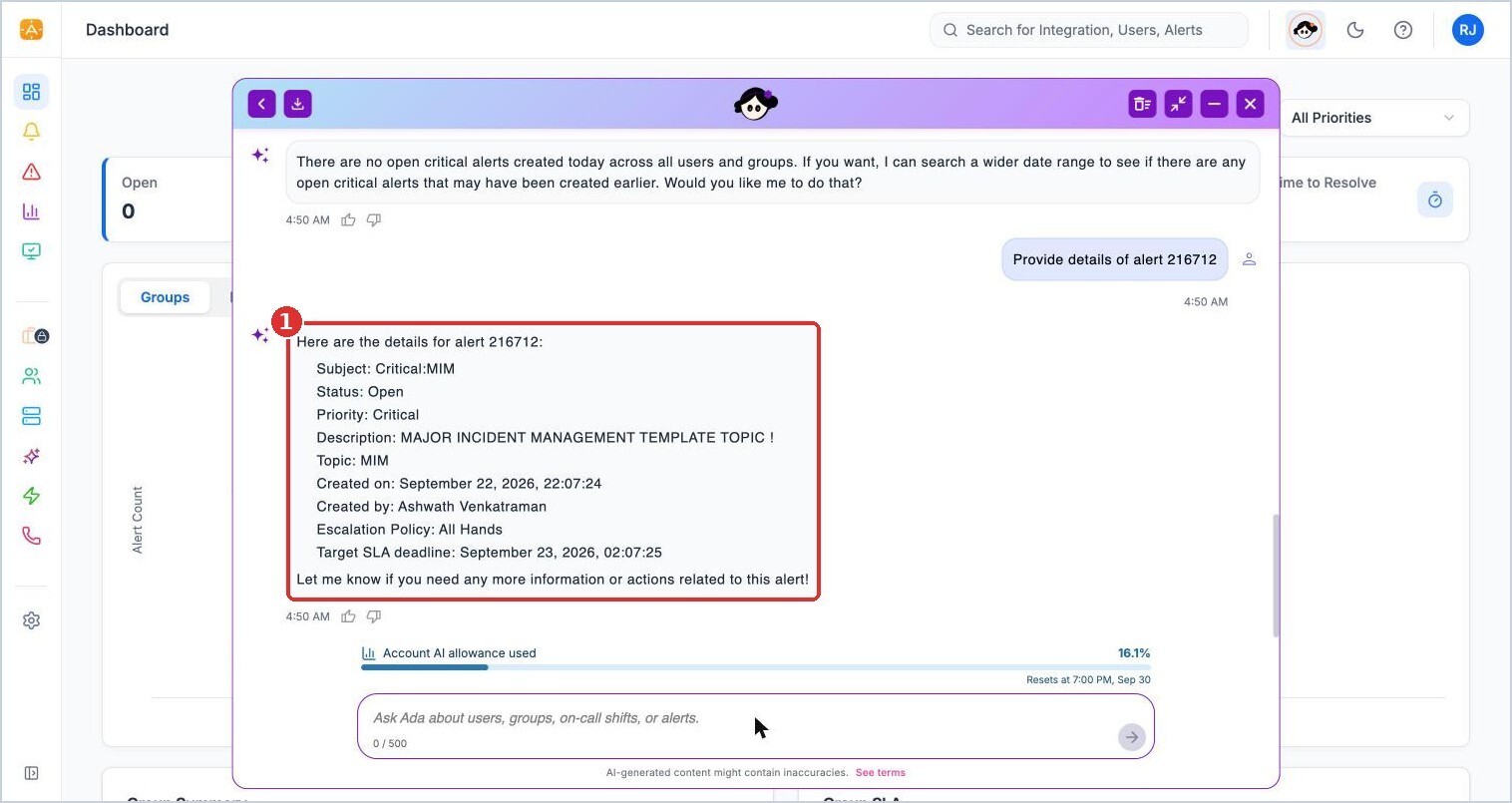
(1) subject, status, priority, topic, creator, escalation policy, and SLA deadline
"Show me the open critical alerts"
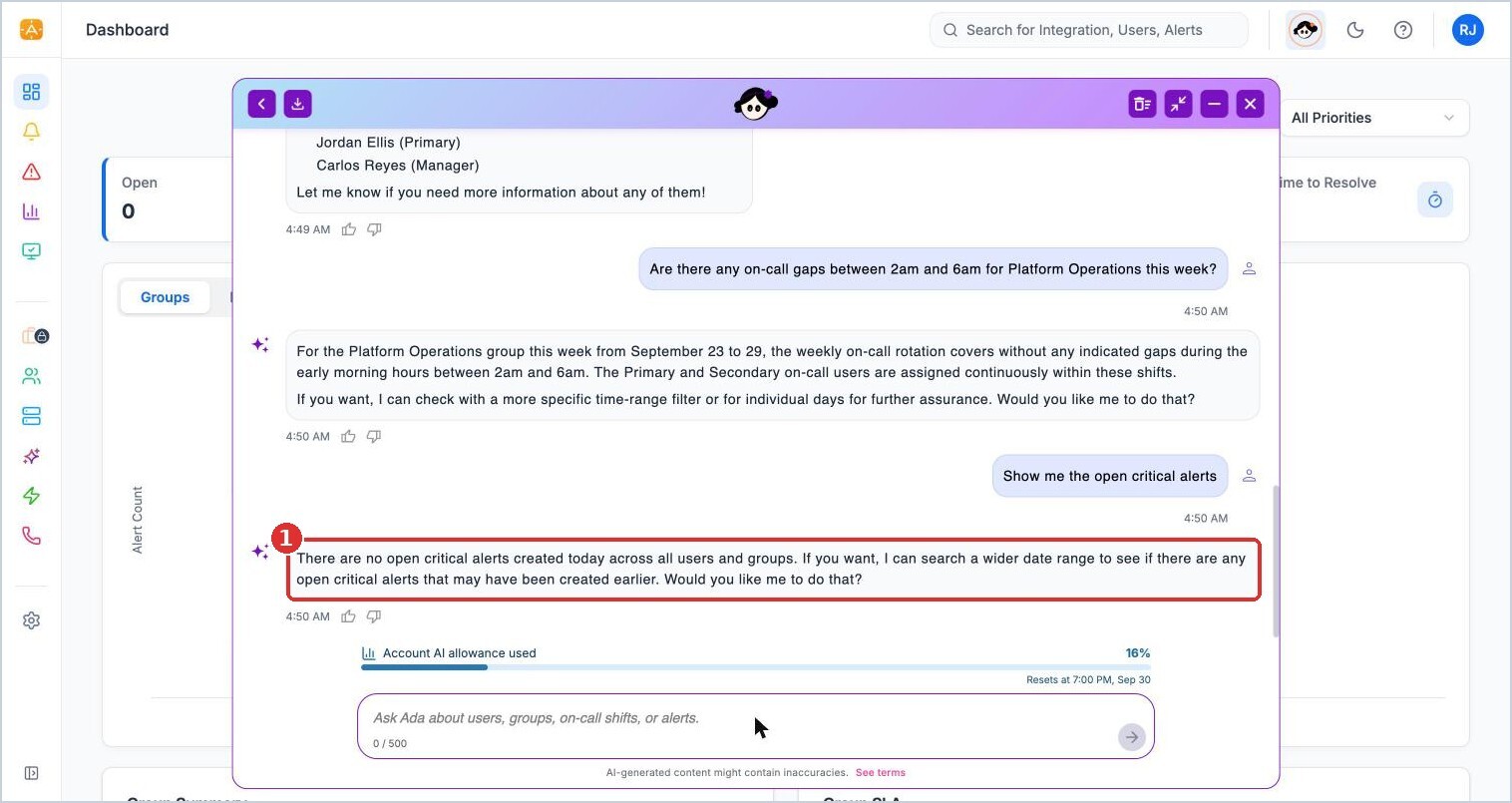
(1) without a date range, Ada looks at today's alerts
More questions to try
- "Which groups is Carlos Reyes in?"
- "Do we have any upcoming out-of-office requests?"
- "Check the on-call schedule for Platform Operations this week"
- "Who owns alert 216712 and what is its status?"
- "Show open critical alerts from the last 7 days"
Things to know
- For alerts, Ada looks at today unless you give a date range. Add "from the last 7 days" or a specific date.
- If Ada answers "Please try rephrasing the query or specifying more details," add the group, person, or alert ID.
- Ada's answers reflect live data. Ask again after something changes.