
- Navigate to Configuration -> Groups & Schedules
- Select a corresponding group and click the Schedules tab.
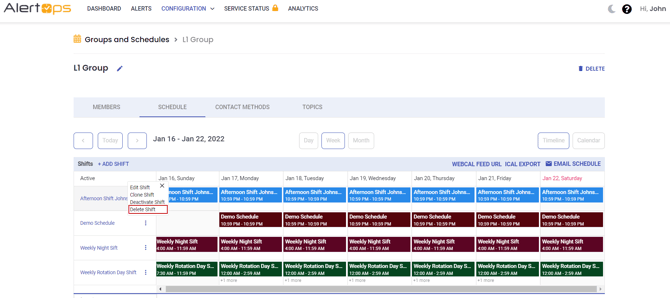
- Under Active, click the Delete Shift wish to remove.
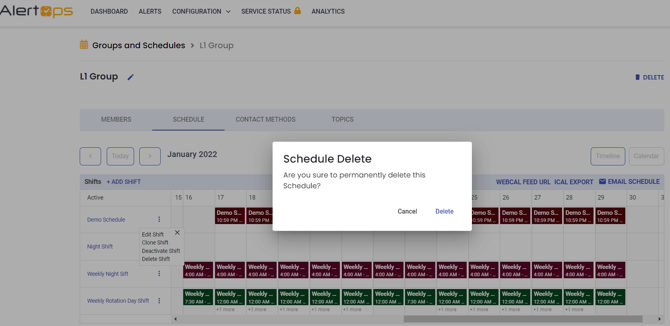
- Click Delete to confirm
Alternatives to Deleting a Shift
Deleting is not always necessary. From the Schedules tab you can Clone a shift, which copies the existing configuration so you only need to set the new Start Date and End Date. This is the quickest way to build an override. Cloning is also the safer way to make changes, since you can work off the clone and leave the original shift unaffected.
Shifts can also be deactivated and reactivated rather than deleted, which preserves the configuration for later use. A shift also becomes inactive automatically once the end date in its Duration passes, at which point it no longer appears under Active.