
The Export_GlobalAccess entitlement permits bulk import of users and groups via a spreadsheet. The user roles that have access to this entitlement include Owner and App Admin.
Exporting is useful when you need to make changes to large amounts of users or groups. The exporting feature can also be used for reporting purposes.
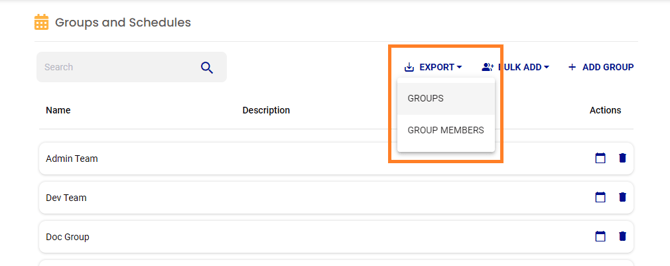
Groups Export
- Select Groups & Schedules from Configurations on the main menu.
- Click the Export link. Then, select Groups in the drop-down menu.
- Open the downloaded file.

Group Member Export
- Select Groups & Schedules from Configurations on the main menu.
- Click the Export link. Then, select Group Members in the drop-down menu.
- Open the downloaded file.