
Purpose
A Topic is a named, priority-tagged label that you attach to a group. Topics let you categorize the alerting scenarios a group is responsible for ("URGENT: Major Database Outage," "Notify Location 1," "MIM Template") and surface a matching priority alongside the name. Admins define Topics once in Administration, then attach any combination of them to any groups that should use them.
Audience
Relevant for App Admins creating Topic definitions; App Admins and Group Managers attaching Topics to a group
Topic definitions are created by App Admins under Configuration → Administration. Attaching an existing Topic to a group can be done by an App Admin or by a user with the Manager role on that specific group.
Prerequisites
- At least one Topic definition already exists in Configuration → Administration → Topics. The Add Topic picker on a group only lists Topics that have already been created there.
- App Admin permissions, or Manager role on the target group.
- Familiarity with Group Management.
How Topics Work
A Topic has two parts:
- Topic Name — a free-text label (for example, "URGENT: Major Database Outage," "Customer escalation," "Planned maintenance").
- Priority — one of five values: No Priority, Critical, High, Medium, Low.
Topics are defined once per account in Administration, then attached to the groups that should use them. A single Topic can be attached to any number of groups; a single group can have any number of Topics attached.
Attach a Topic to a Group
Relevant for App Admins and Group Managers
- Confirm the Topic already exists in Configuration → Administration → Topics. If not, create it there first — see "Create a Topic" below.
- Go to Configuration → Groups and Schedules and open the group you want to add the Topic to.
- Click the Topics tab on the group's detail page.
- Click + Add Topic at the top-right of the tab.
- In the Add Topic picker, use the Search topics field to filter, then tick the checkbox next to each Topic you want. The picker supports multi-select — you can attach multiple Topics in a single Submit.
- Click Submit. The selected Topics appear in the Topics list on the group.
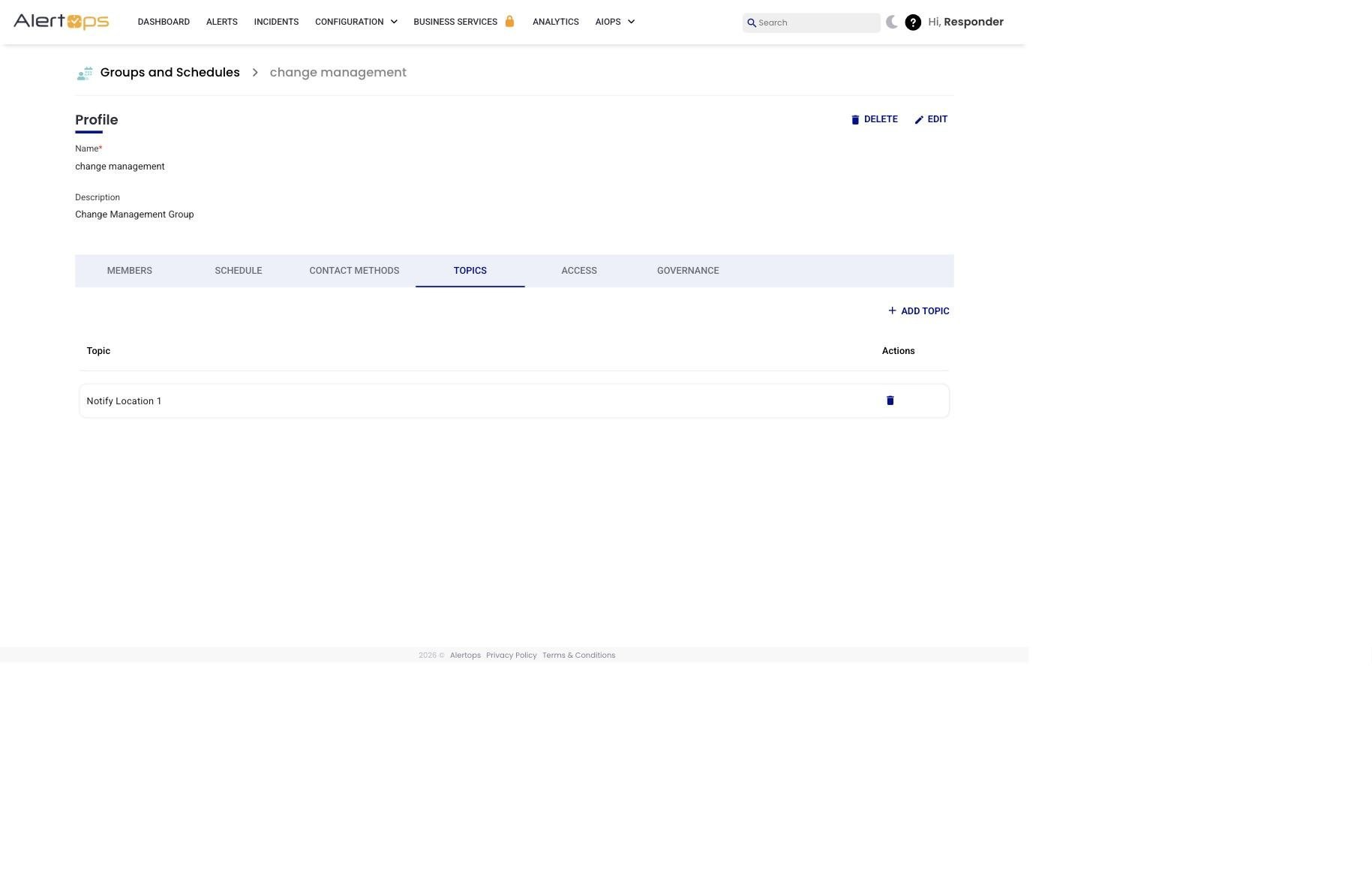
Figure 1. A group's Topics tab — attached Topics appear in a list; click + Add Topic to attach more.
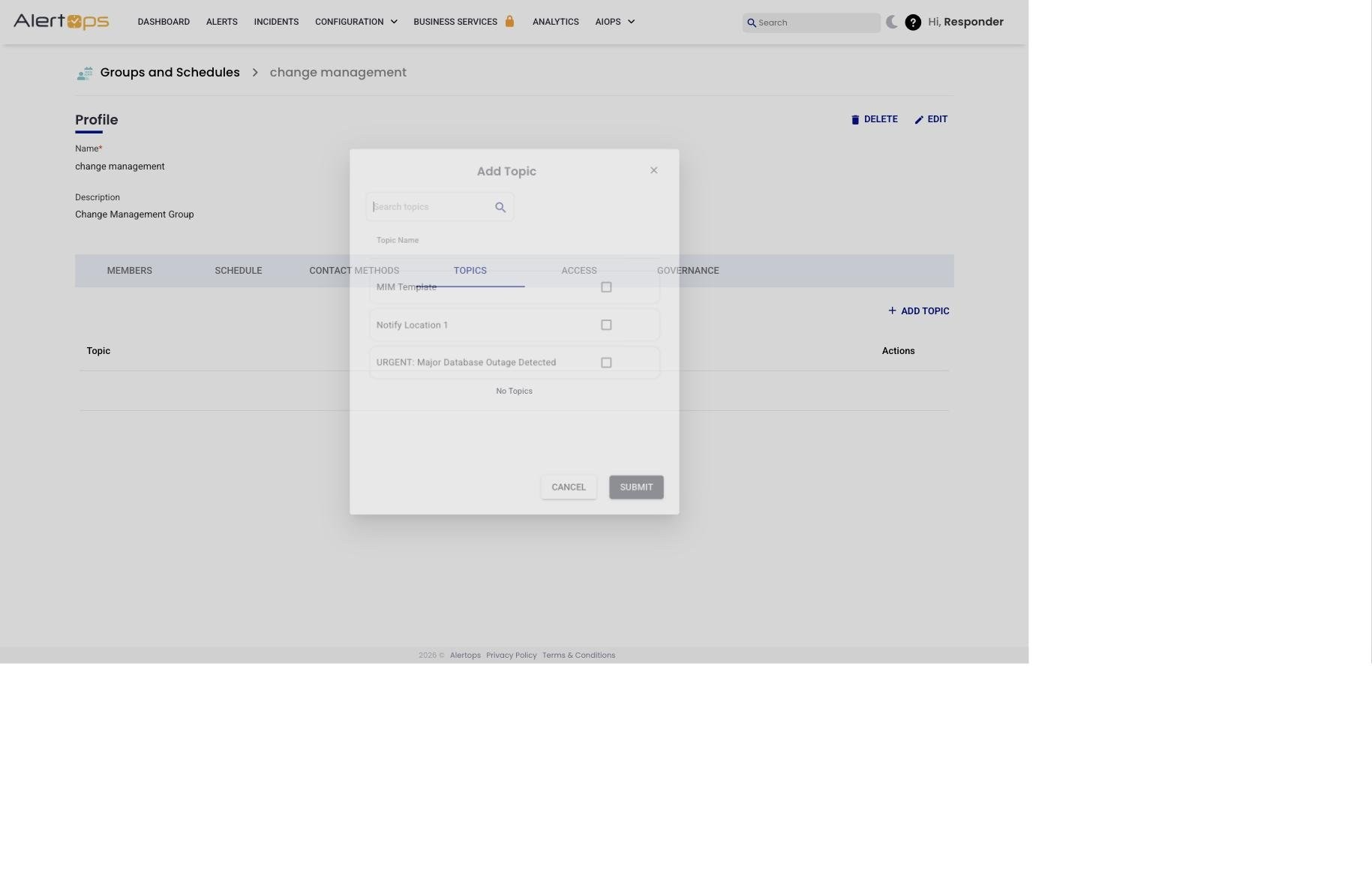
Figure 2. Add Topic picker — search by name, tick the Topics you want (multi-select allowed), Submit.
Remove a Topic from a Group
Relevant for App Admins and Group Managers
Removing a Topic from a group detaches it from that group only — the Topic definition remains in Administration and stays attached to any other groups that use it.
- Open the group and click the Topics tab.
- Find the Topic row and click the trash icon in the Actions column.
- Confirm in the prompt.
|
The confirmation copy is misleading — the definition is not deleted The confirmation dialog reads "Delete Topic?" and the success toast reads "Topic has been deleted." Despite that wording, only the attachment between this group and the Topic is removed. The Topic definition remains in Administration → Topics and on every other group it was attached to. Treat this action as "detach" rather than "delete." |
Create a Topic (Definition)
Relevant for App Admins
Topic definitions are created in one place for the whole account and then attached to any groups that should use them.
- Go to Configuration → Administration.
- Scroll to the Topics section.
- Click + ADD TOPIC.
- Enter a Topic Name (the label users will see in the group-level Add Topic picker).
- Select a Priority from the dropdown — No Priority, Critical, High, Medium, or Low.
- Click Submit. The Topic is now available to attach to any group.
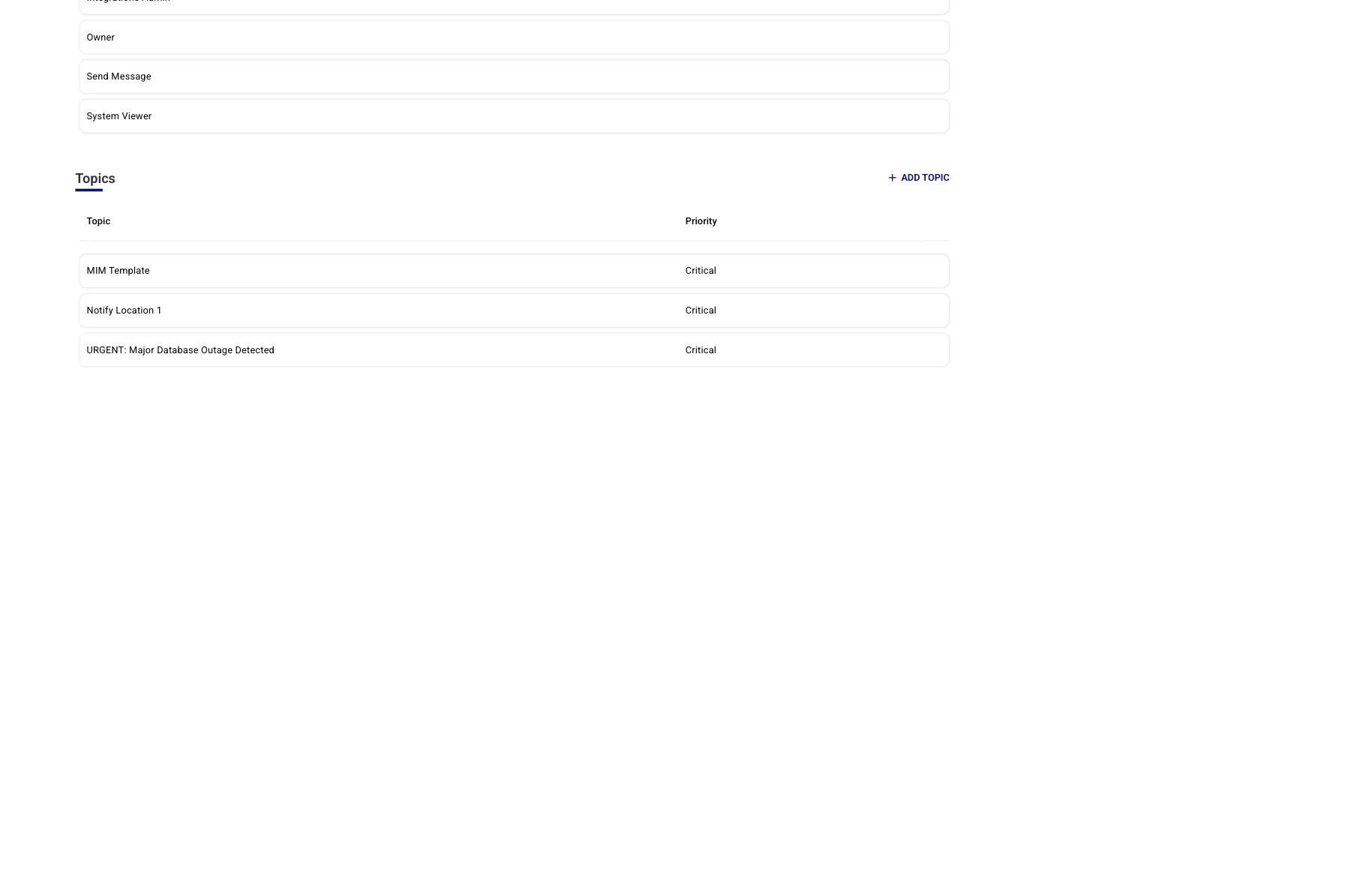
Figure 3. Configuration → Administration → Topics — the source-of-truth list of Topic definitions in the account.
Best Practices
Do
- Use descriptive Topic Names — "URGENT: Major Database Outage" beats "Topic 3." Include the severity or scenario in the name so responders understand the context at a glance.
- Create Topics for your most common alerting scenarios before you need them — a prepared Topic library means faster manual alerts during real incidents.
- Share Topics across multiple groups when the same scenario applies to more than one team.
- Review attached Topics when you restructure a group's responsibilities so each group still has the Topics its responders expect.
Don't
- Don't duplicate the same Topic name across multiple definitions. Create once, attach many times.
- Don't assume removing a Topic from one group deletes the definition. It only detaches the attachment.