
AlertOps now supports Incidents as a distinct object from traditional Alerts, providing a clear boundary between routine system notifications and business-impacting disruptions. This distinction supports best practices in operational governance, especially for enterprises aligning with ITIL standards.
Previously, all incoming signals — from monitoring tools, systems, or manual sources — were treated as alerts. While powerful, this made it difficult to formally designate critical incidents from routine alerts. Now, Incidents elevate alert severity and visibility, aligning with formal response protocols.
ITIL-Aligned Approach
Following ITIL best practice, AlertOps requires human intervention to promote an Alert into an Incident.
- Events and Alerts: System-generated signals from tools or monitoring platforms.
- Incidents: Declared only by a human, based on contextual understanding of business impact, urgency, or escalation needs.
This manual step enforces accountability and ensures only truly impactful issues receive full incident treatment — including major incident workflows, escalations, and stakeholder notifications.
How Incidents Differ from Alerts
|
Attribute |
Alert |
Incident |
|---|---|---|
|
Source |
System-generated or manual |
Always human-promoted |
|
Purpose |
General operational signal |
Business-impacting disruption |
|
Creation |
API, Email, Manual, Chat, Monitoring Tools |
Manual promotion from Alert only |
|
Escalation |
Based on original alert configuration |
Customizable escalation policy at promotion |
|
Audience |
Predefined by integration |
Expanded via added users, groups, topics |
|
Visibility |
Standard |
Elevated, tracked, and audited, |
Promoting an Alert to an Incident
Steps to Promote:
- Navigate to Alerts
- Open the alert you wish to escalate
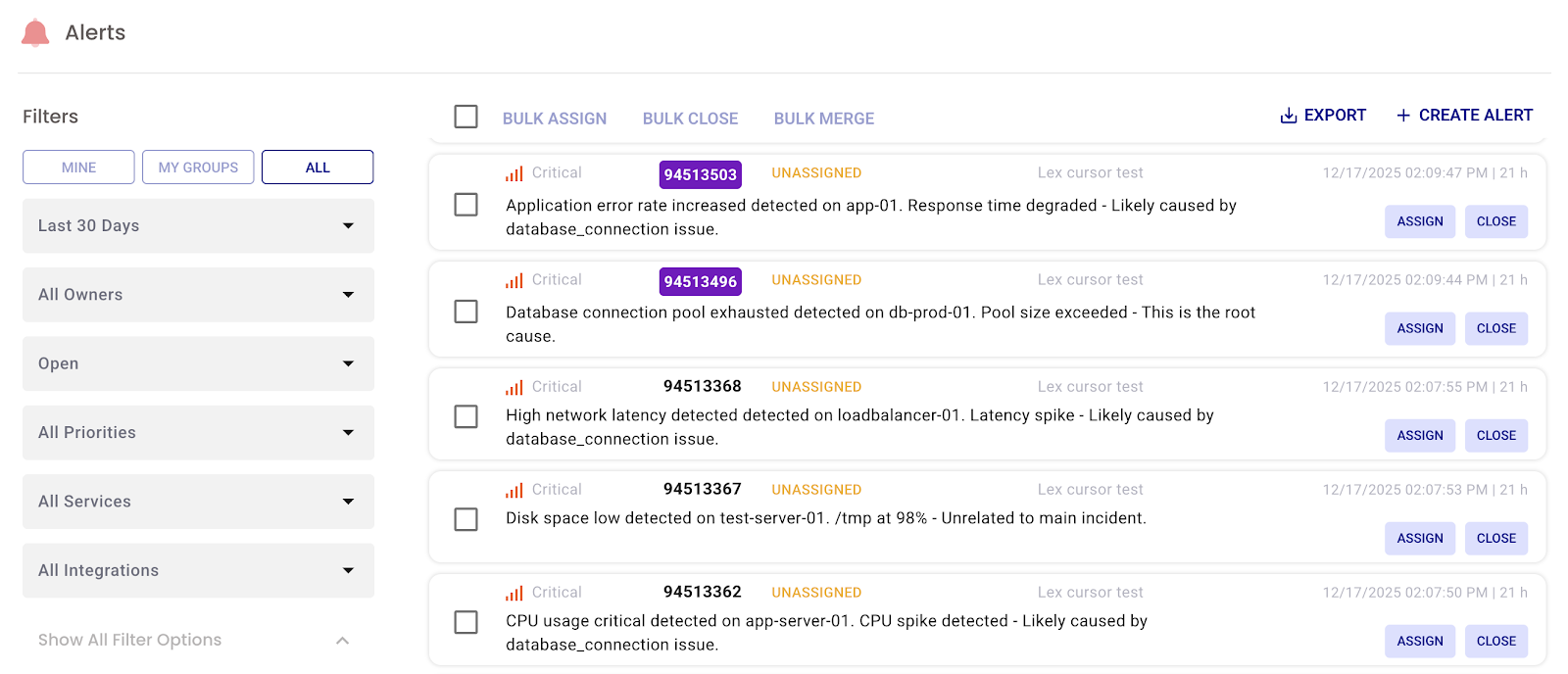
- Click Promote to Incident

- In the Incident Promotion dialog:
- Select a new Escalation Policy
- Add optional Topics (for pre-built messages)
- Add additional Groups or Users
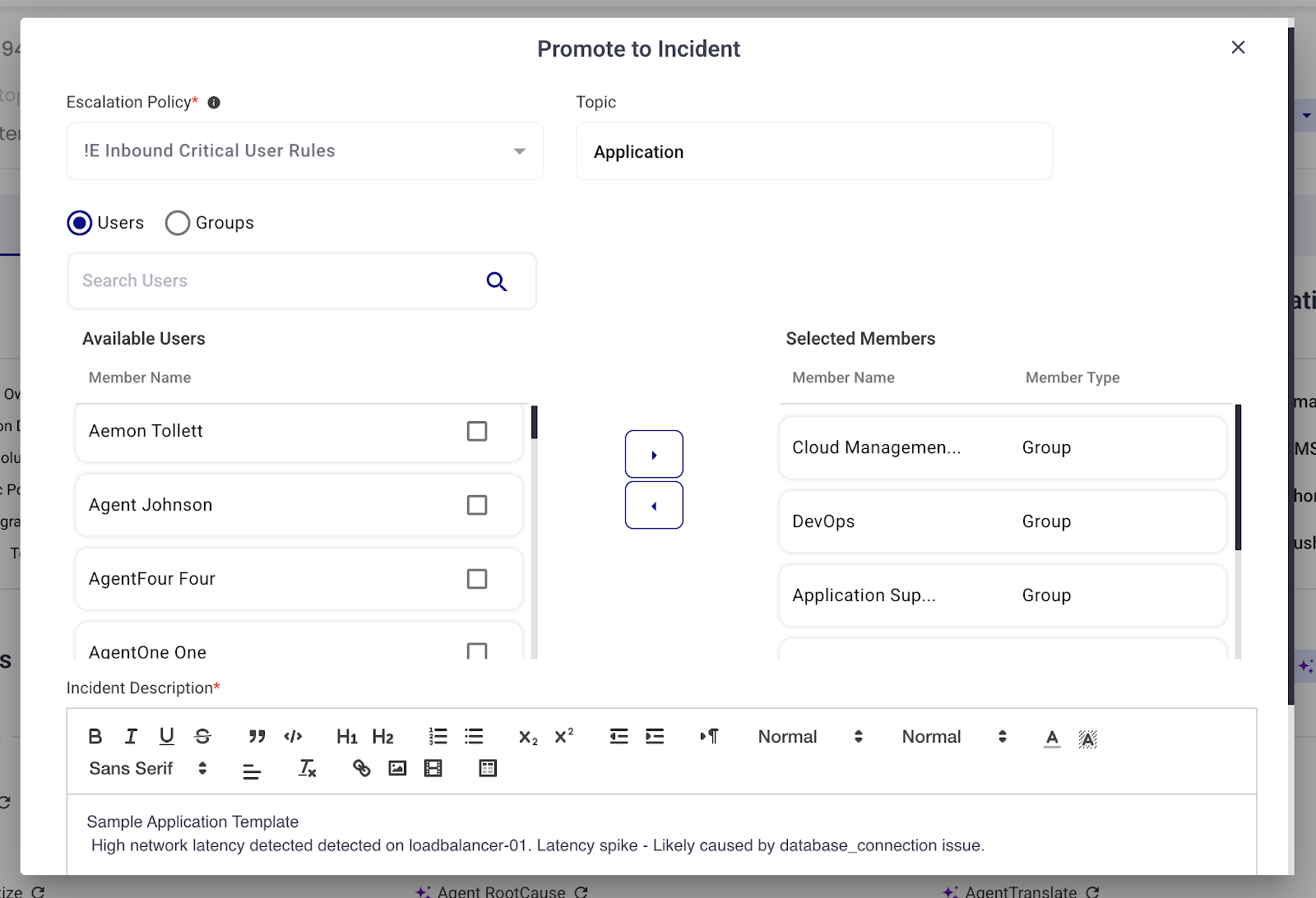
- Click Submit
The Alert is now classified as an Incident, which will now show up in the Incidents View from your main nav.
What Stays the Same
- Original alert content
- Timeline and audit log
- Responder actions (acknowledge, assign, close)
- Alert Notes and linked integrations
Best Practices
- Declare an Incident only after confirming impact — not just based on alert volume.
- Use distinct escalation policies for Incident-level routing and visibility.
- Leverage Topics for predefined messaging to execs, ITSM tools, or stakeholders.
Limitations
- Incidents cannot be created via API, Email, or Integration — must originate as alerts
- Currently there are no automatic promotion rules (human judgement required)