
Purpose: Learn what Agent Ada is, where to find it, and how the Ada panel works.
What Ada does
Ada is AlertOps's operational AI agent. Ask questions in plain language and Ada answers from your live AlertOps data, or takes action for you after you approve it. Ada can:
- Look up users, groups, notification methods, and out-of-office entries
- Tell you who's on call, find coverage gaps, and compare on-call load
- Show alert details, and assign or close alerts
- Create items such as out-of-office entries and escalation policies
Ada is in BETA, and its capabilities are expanding.
Open Ada
Click the Ada icon in the header, next to the theme switch. The panel opens on the right side of any page.
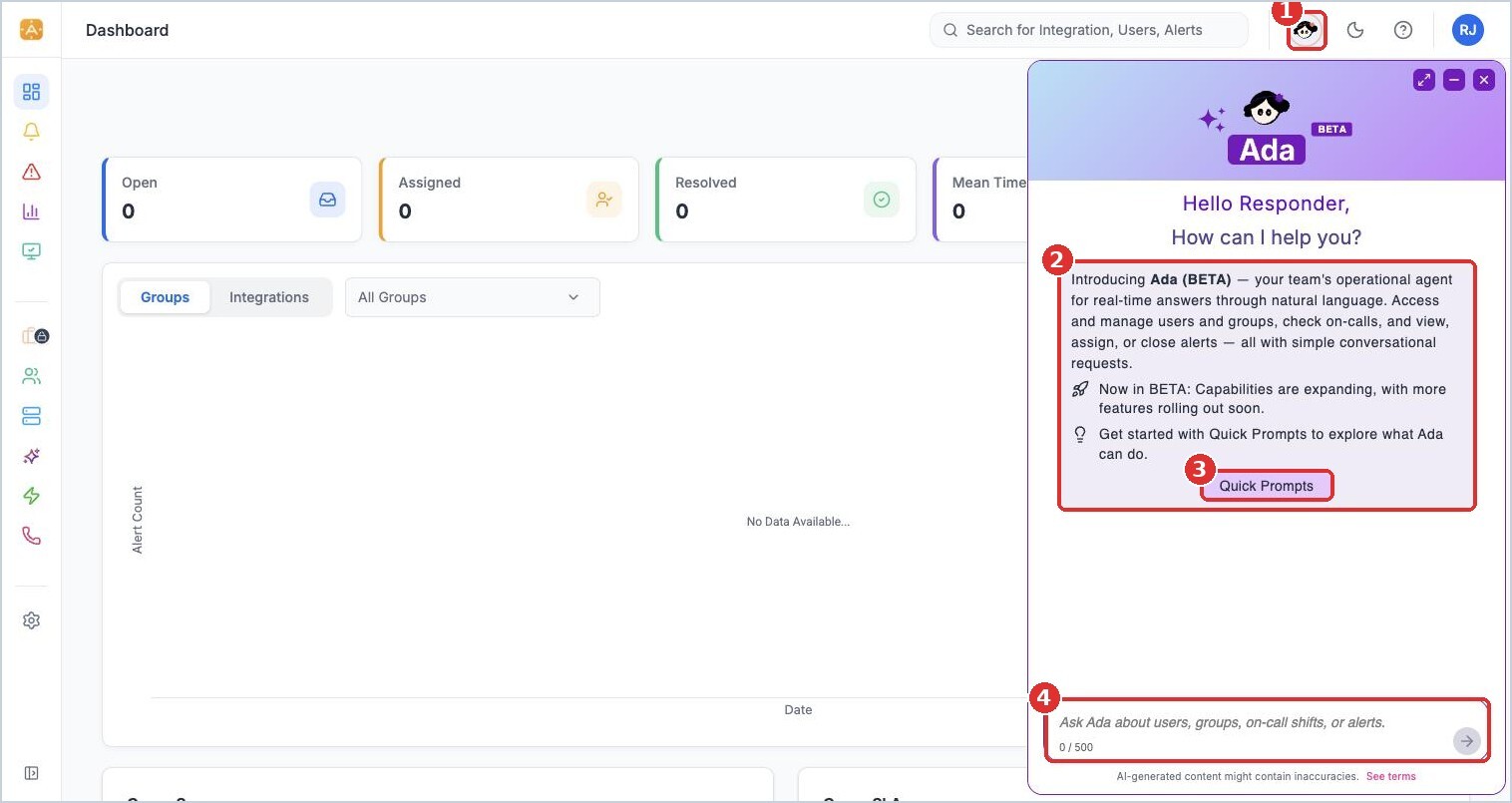
(1) the Ada icon in the header, (2) what Ada can do, (3) Quick Prompts, (4) ask Ada anything, up to 500 characters
The Ada panel
| Control | What it does |
|---|---|
| Back to Prompts | Returns to the Quick Prompts list |
| Download chat | Saves the conversation |
| Clear chat history | Starts a fresh conversation |
| Expand / Collapse | Switches between the side panel and a larger centered window |
| Minimize | Hides the panel and keeps your conversation |
| Close Ada | Closes the panel |
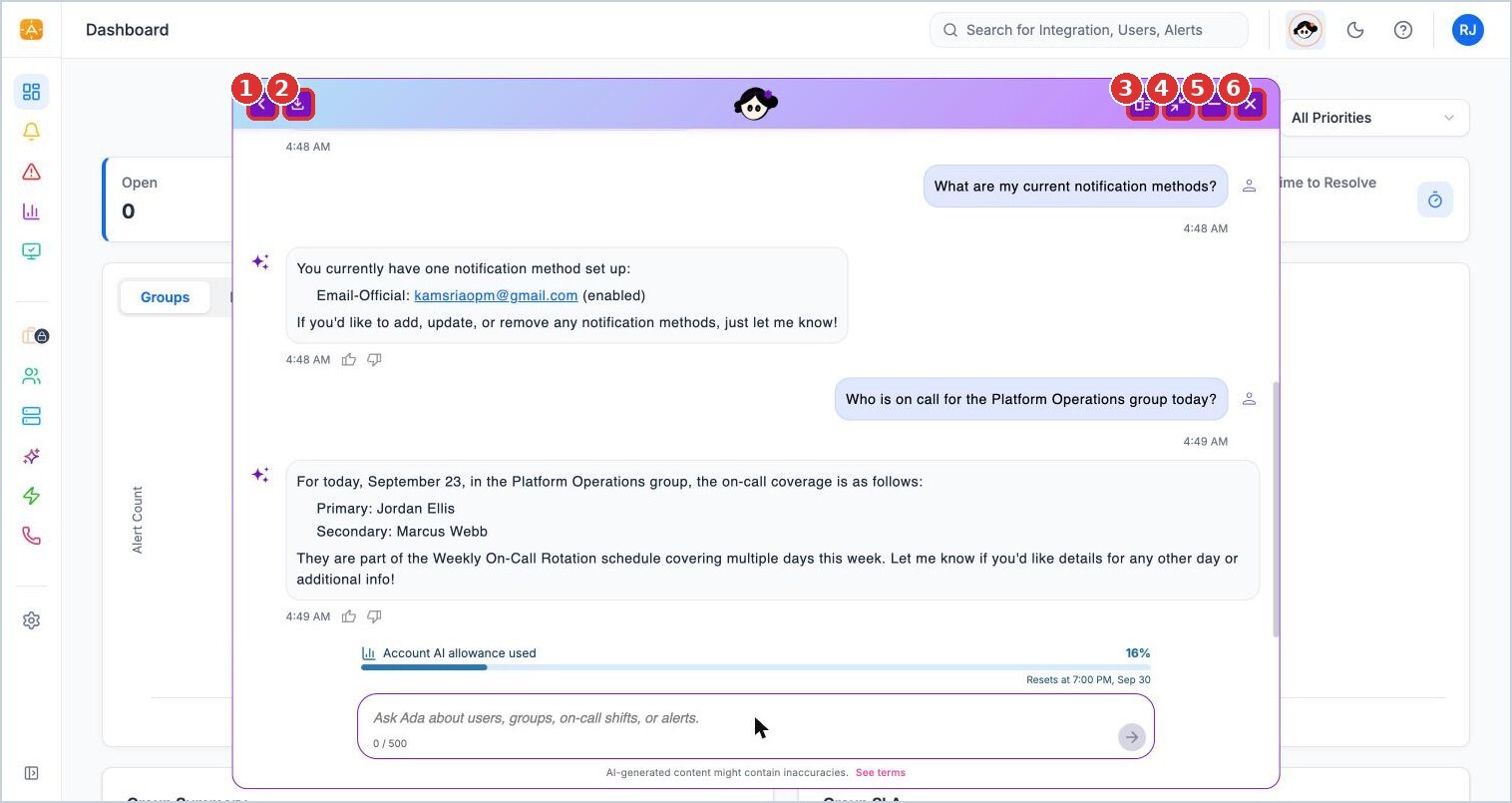
(1) Back to Prompts, (2) Download chat, (3) Clear chat history, (4) Expand or collapse, (5) Minimize, (6) Close
Quick Prompts
Quick Prompts are ready-made questions grouped into Alerts, Users, Groups, and On-Call Schedules. Click one to send it, or search prompts by keyword. Click more in a group to see all of its prompts.
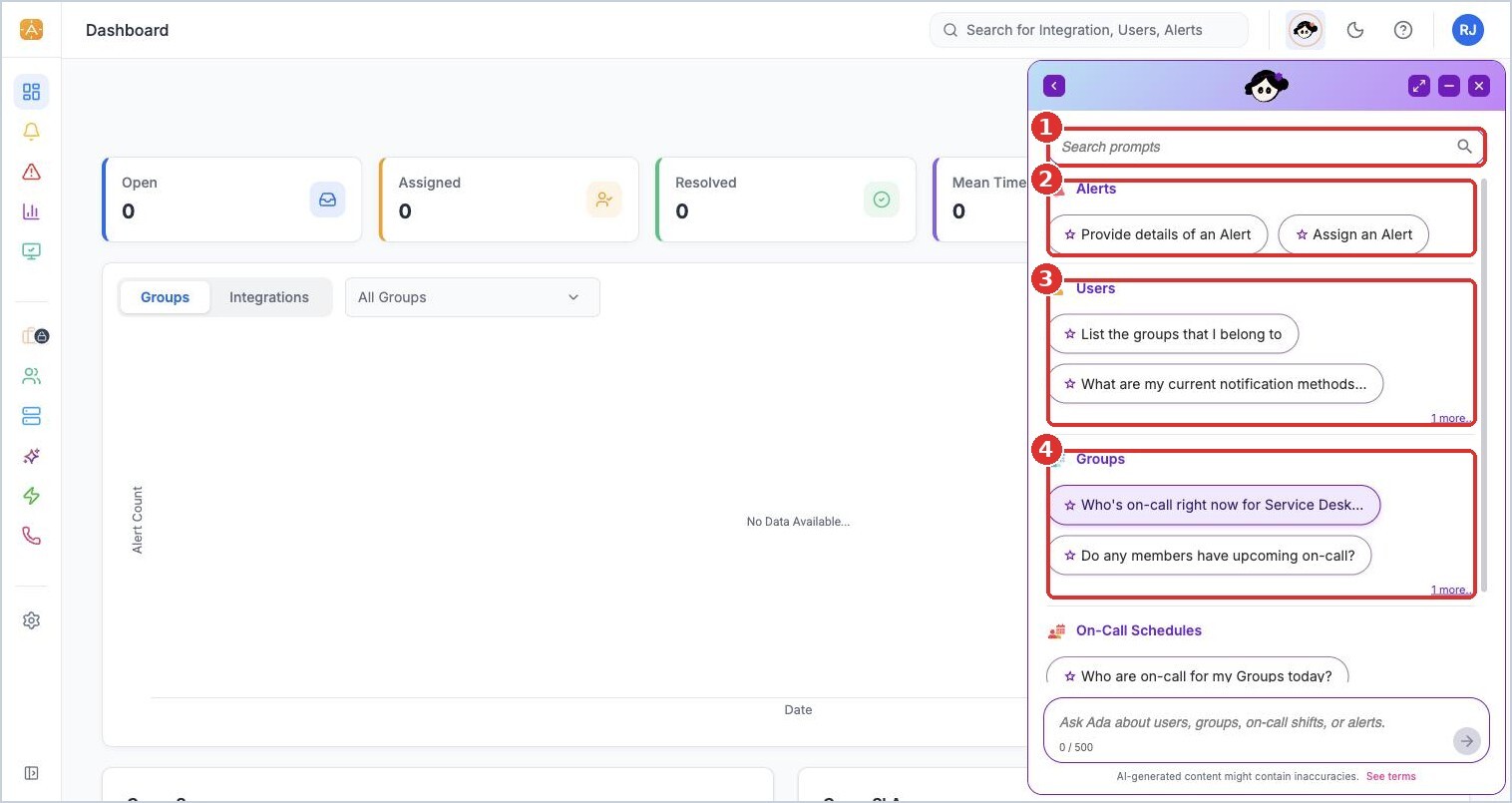
(1) search prompts, (2) Alerts, (3) Users, (4) Groups
Quick Prompts available today:
| Group | Prompts |
|---|---|
| Alerts | Provide details of an Alert; Assign an Alert |
| Users | List the groups that I belong to; What are my current notification methods; Do we have any upcoming out-of-office requests |
| Groups | Who's on-call right now for a group; Do any members have upcoming on-call; Are there any on-call gaps between 2am and 6am |
| On-Call Schedules | Who are on-call for my Groups today; Check on-call schedule for my groups this week; Who has the least on-call load in my groups; Compare my groups' on-call coverage for business vs. non-business hours this month |
Answers, feedback, and your AI allowance
Each answer has thumbs up and thumbs down buttons. Use them to tell AlertOps whether the answer helped.
The Account AI allowance used bar shows how much of your account's AI allowance has been used and when it resets.
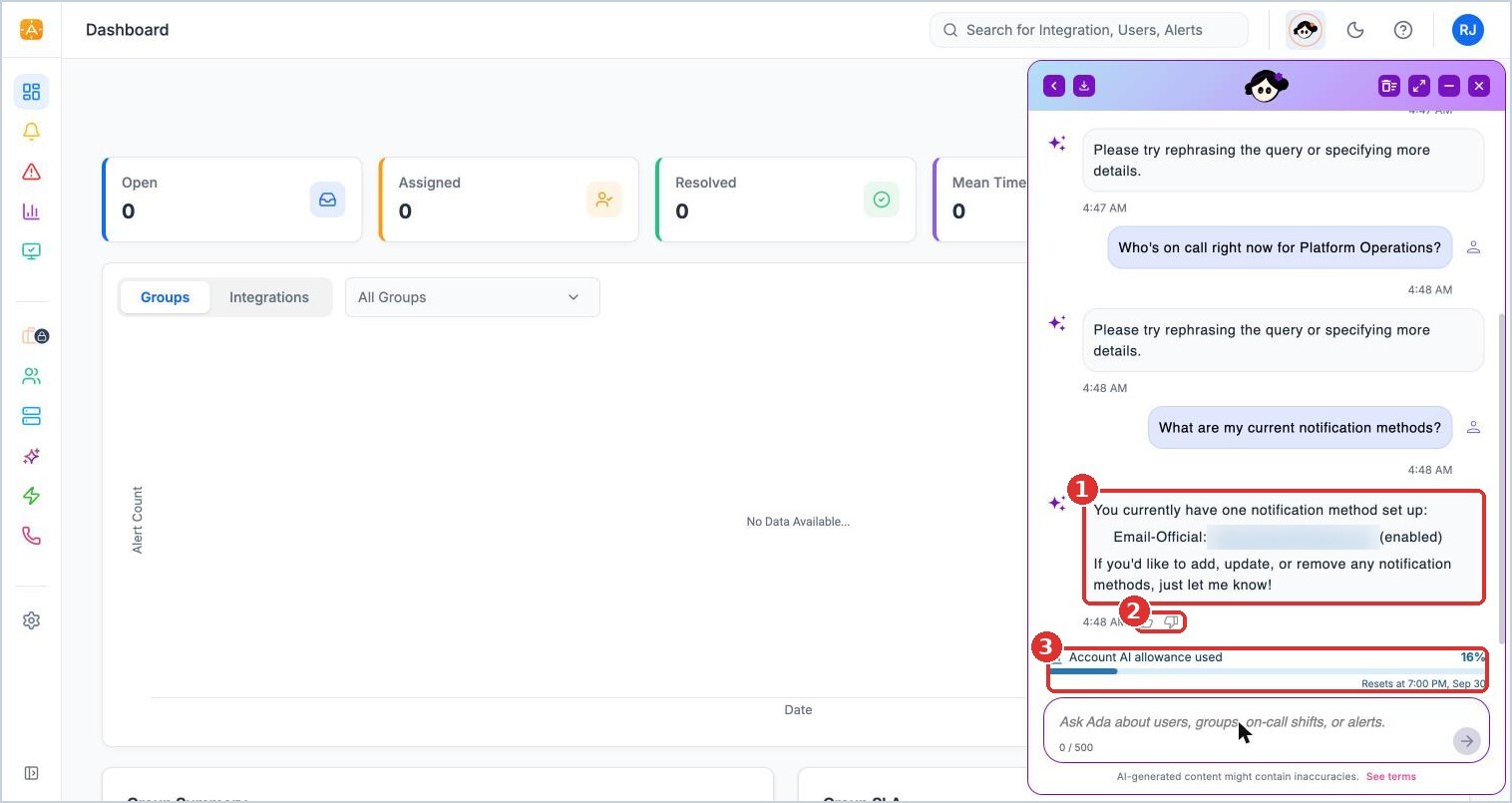
(1) Ada's answer, (2) rate the answer, (3) the account's AI allowance and reset date
Things to know
- Ada uses your permissions. It can only see and change what you can.
- AI-generated content can contain mistakes. Check important answers in the app before acting on them. See Ada tips and troubleshooting.
- Ada is included on Enterprise and available as part of the OpsIQ add-on on Premium. See alertops.com/pricing.