
Permissions
The InboundIntegrations_GlobalAccess entitlement is necessary for creation, update, and deletion of inbound e-mail, API, and chat integration templates in the environment. The user roles that have access to this entitlement are Owner, App Admin, and Integrations Admin.
Overview
Relevant for App Admins and Integrations Admins
Email Integrations define the processing rules for creating AlertOps alerts from inbound emails. AlertOps integrates with any service that can send email notifications. The prebuilt gallery covers common monitoring and ticketing tools — pick the template that matches your source and AlertOps does the field mapping for you. For sources without a prebuilt template, use Custom Email Integrations instead.
Configure a Prebuilt Email Integration
Relevant for App Admin / Integrations Admin
- Navigate to Configuration and select Integrations.
- Select Email from the drop-down list of integration types.
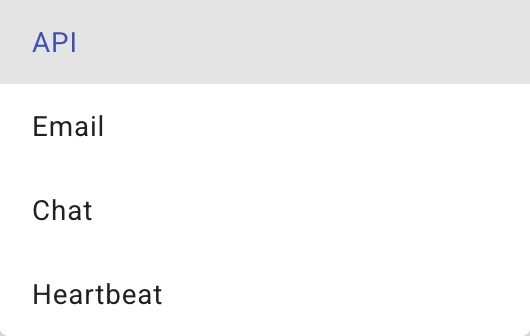
Figure 1. The inbound integration-type drop-down. Choose Email to filter the list to email integrations and set the Add button to + Add Email.
- Click + Add Email in the top, right-hand corner.
- Select the desired integration from the available templates.
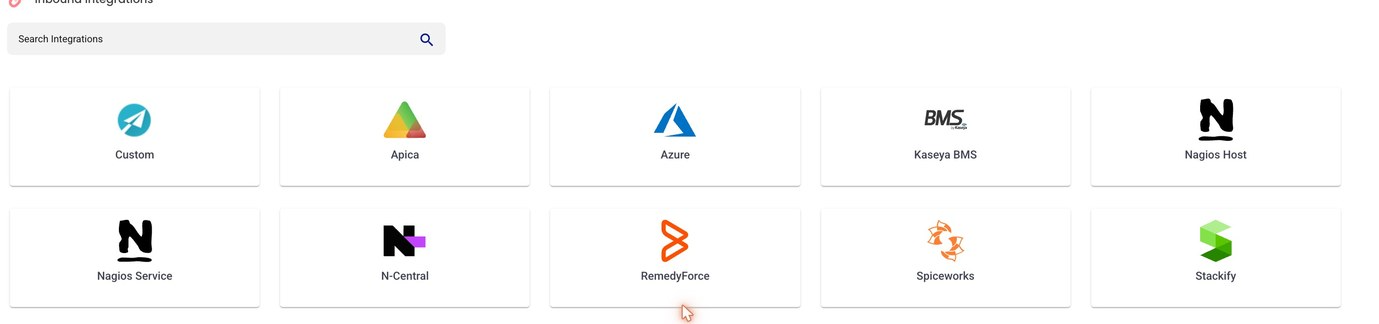
Figure 2. The prebuilt email-integration gallery. Templates include Apica, Azure, Kaseya BMS, Nagios Host, Nagios Service, N-Central, RemedyForce, Spiceworks, Stackify, and VM Ware, plus Custom for sources without a template.
- Select an Escalation Rule.
- Add Recipient Users and/or Recipient Groups.
- Click Submit to save.
- Once saved, click the Copy Mailbox button at the top of the screen and paste the mailbox address into your source system's email-notification configuration.

Figure 3. After saving, the integration's mailbox address ([mailbox].mspdemos@inbound.alertops.com) appears at the top of the page with a COPY button. Paste it into your source system's email-notification settings.
Setup Field Reference
|
Field |
Description |
|
Email template |
Pick from the gallery of available email templates. Each template has prebuilt field mapping for its source vendor. |
|
Escalation Rule |
The policy that drives notification timing and channels for alerts from this integration. |
|
Recipient Users |
Optional. Individual users who should be notified for alerts arriving on this mailbox. |
|
Recipient Groups |
Optional. Groups whose escalation policies should also be applied. Combined with Recipient Users — recipients are additive. |
|
Copy Mailbox |
After Submit, the integration's mailbox address appears at the top of the saved page. Copy and paste it into the source system's email-notification configuration. |