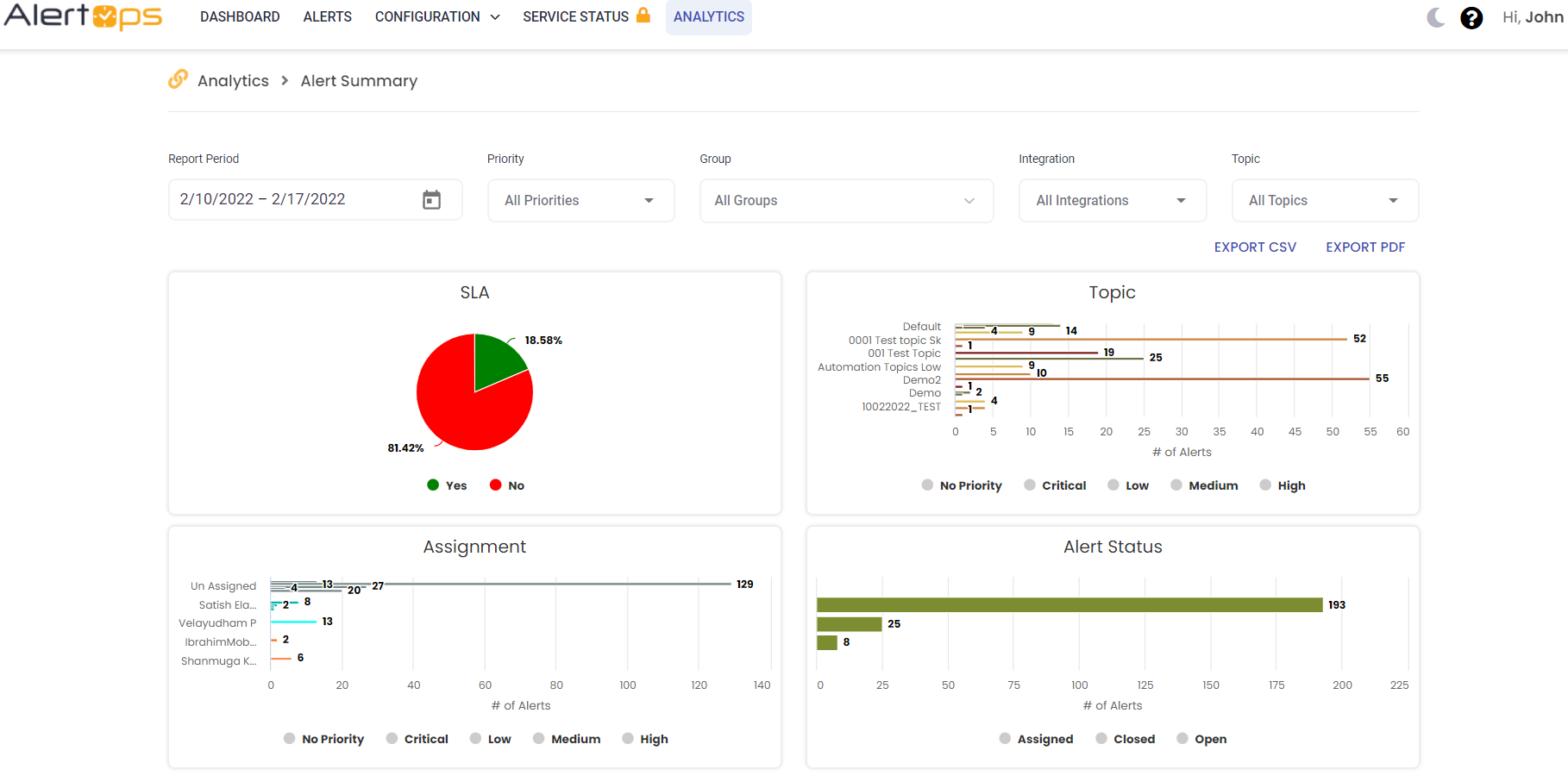
Topics are alert templates that can be used to make manual alerting faster and easier. Topics can also be used for tracking in Reports, and as conditions in Workflows.
Add Topic- Navigate to Configuration à Administration à Topics
- Click +Add Topic
- Enter Name to describe the topic
- Select Priority using the dropdown menu. Use different Topics for each Priority/SLA
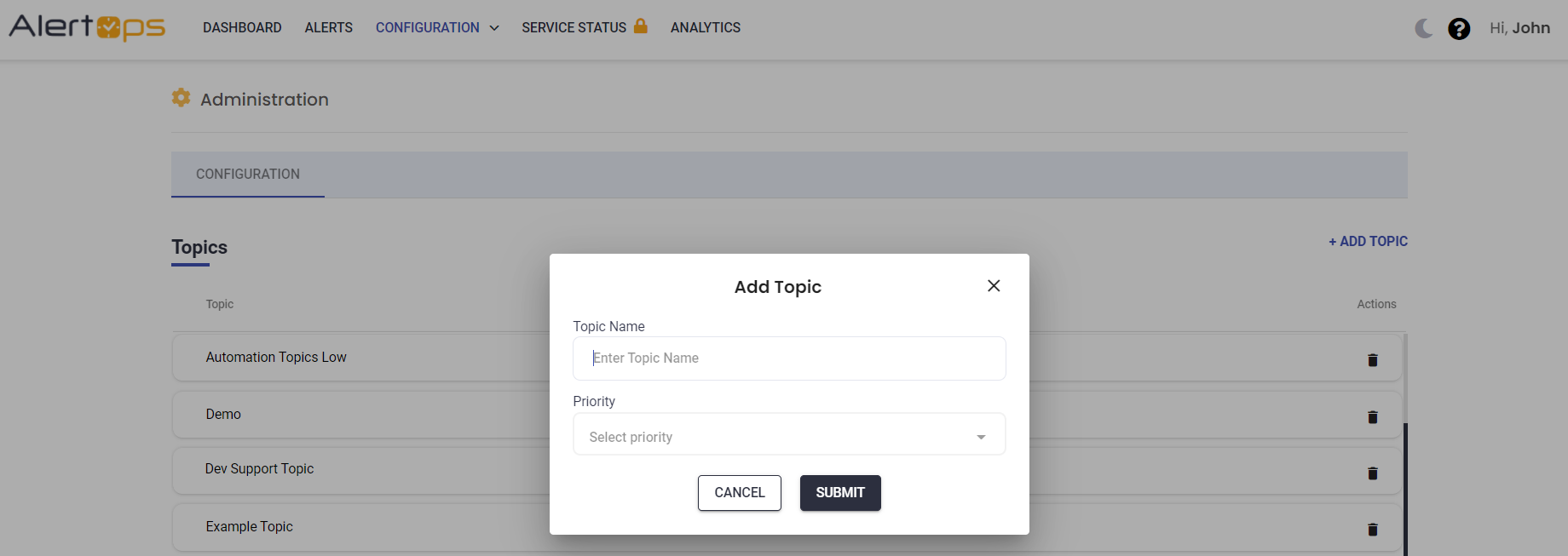
- Click Submit, the topic is added sucessfully
- Navigate to Configuration à Administration à Topics
- Select an existing Topic to be edited.
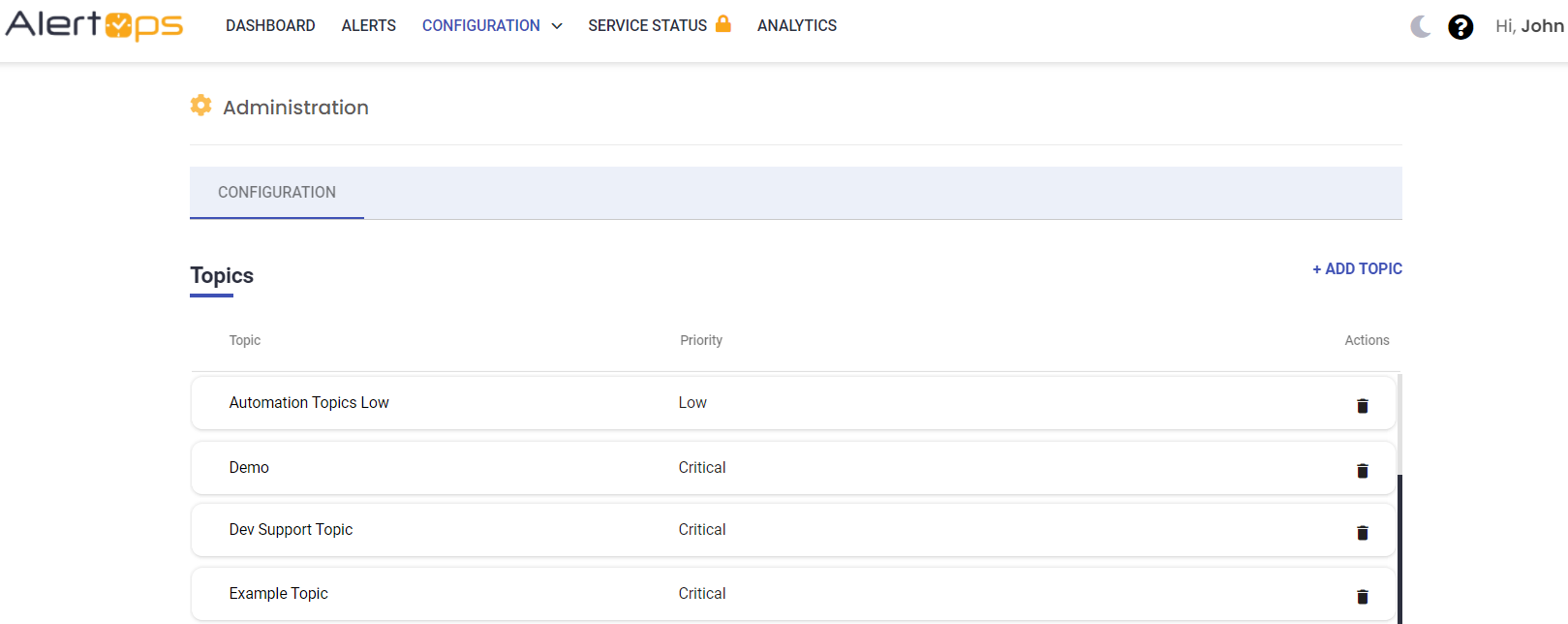
- Select the created Topic from the list and enter Default Message Template (a pre-loaded alert message text) and assign groups to the Topic.
- User can edit Message Priority and Topic Name
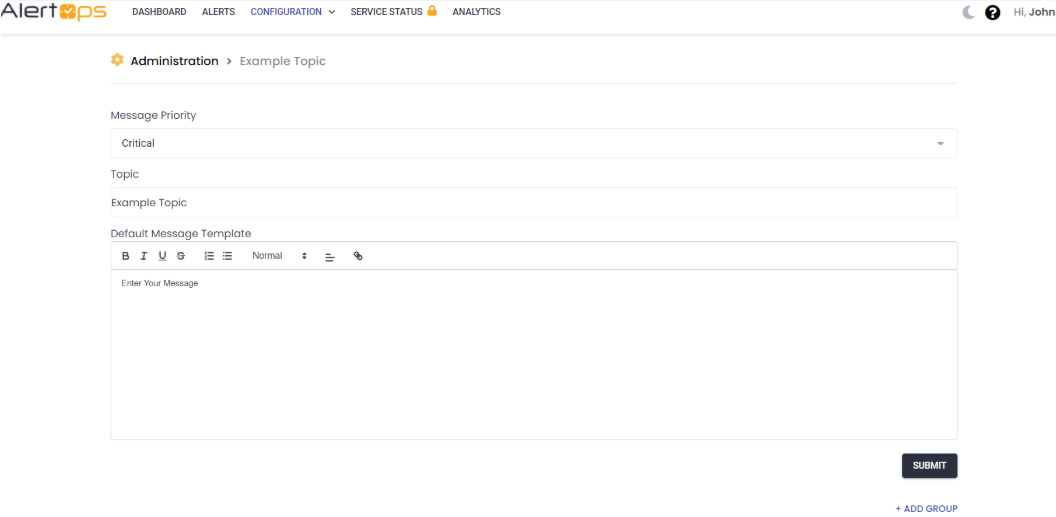
- Click Submit to save the details
Using Topics
Sending Alerts
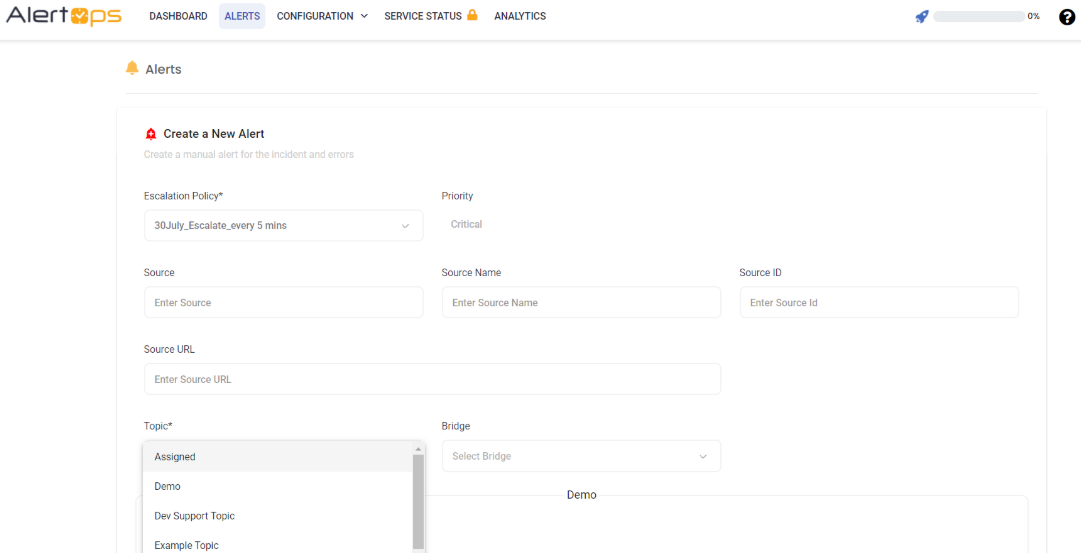
Select Topics when creating a new manual alert. The topic will load its pre-set default message text.
Group Topics
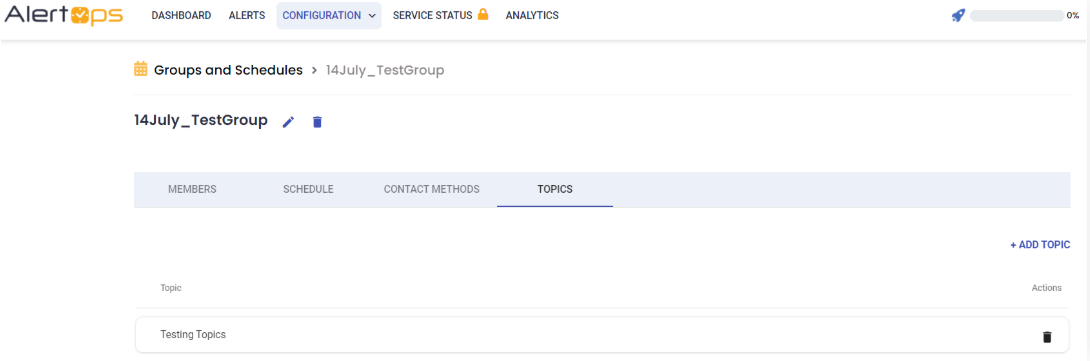
Assign Topics to Groups in Groups & Schedule Management.
Workflows Topics
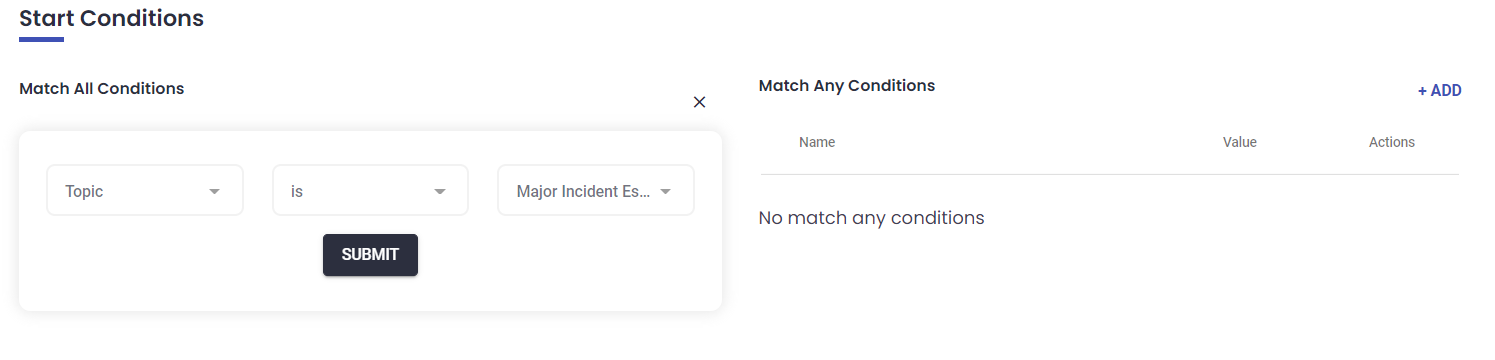
Use Topics as Start Conditions in Workflows.
Inbound Mapping
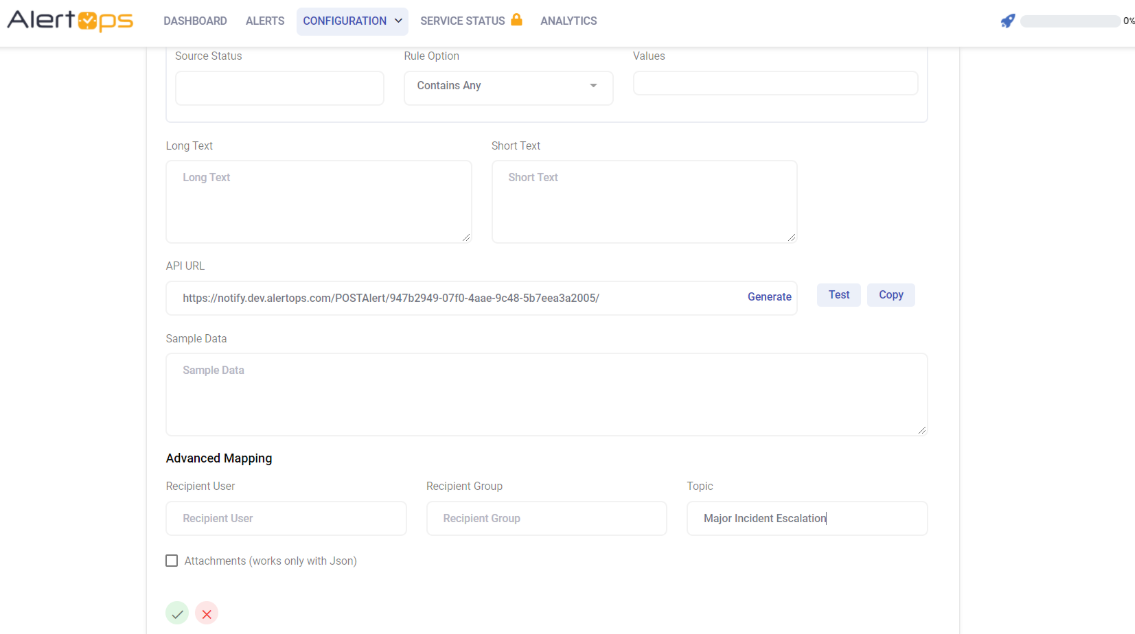
For inbound integrations, you may map Inbound Mapping fields to the Topic field. Use Topics rather than recipients for assignment, or use Topics for tracking.
Topics in Reports
You may track by Topics in the Alert Summary, Alert Trent, and Open Alerts Reports.