
AlertOps comes with several pre-built Integrations for various monitoring and help desk systems. Below are instructions to get you up and running quickly with a pre-built Web API integration.
- Navigate to Configuration -> Integrations
- From the Inbound Integrations page, select API, Email, Chat or Heartbeat
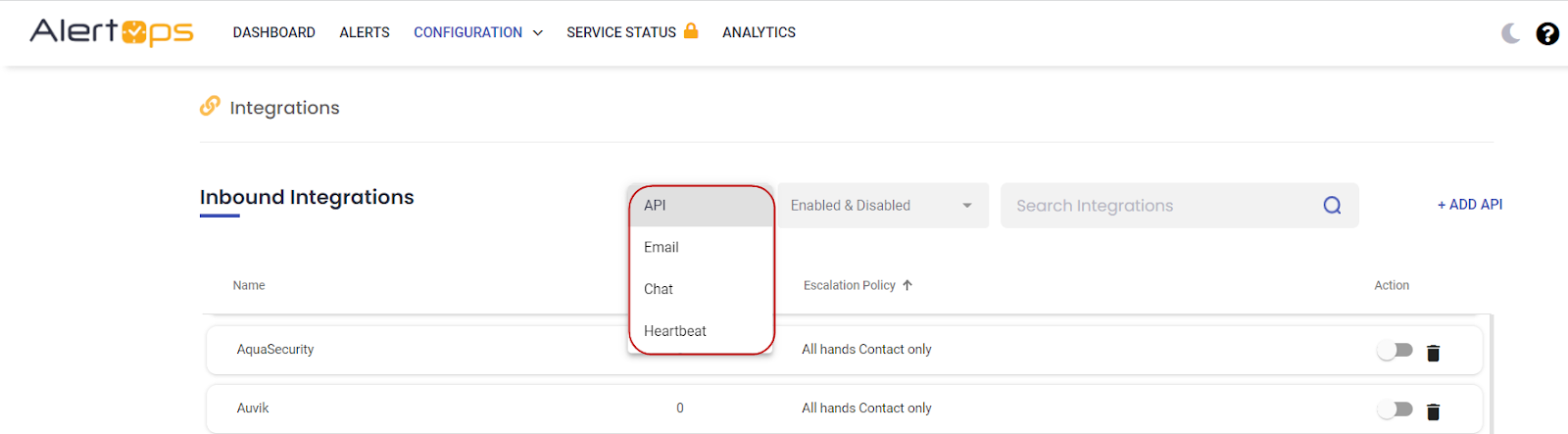
- Click +Add API button according to your selection
- Select the respective integration from available Templates.
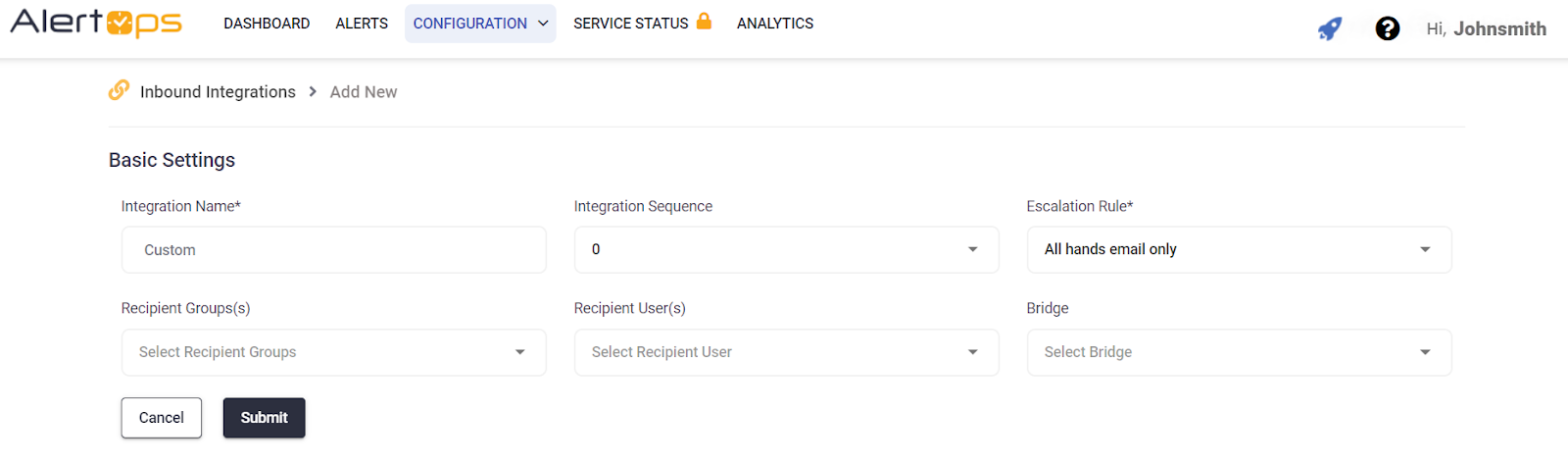
- Select an Escalation Rule.
- Add Recipient Users and/or Recipient Groups.
- Click Submit button to save the basis details
- Click Copy URL and paste it into your source configuration. View pre-built integration guide for instructions for specific integrations.
- Click here to learn about advanced Web API integration settings.